Filter toolbox (filter batch)
This dialog allows you to select multiple filters for batch processing.
Select [Process]-[Apply filters...].
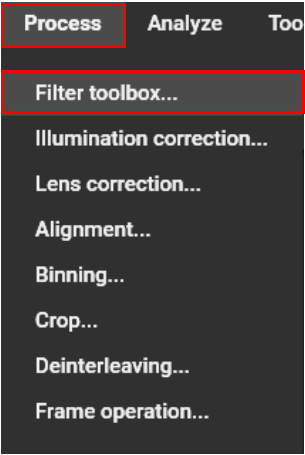
“Filter toolbox” dialog appears. On this dialog, multiple filters can be automatically executed. Filters are processed in optimal order.
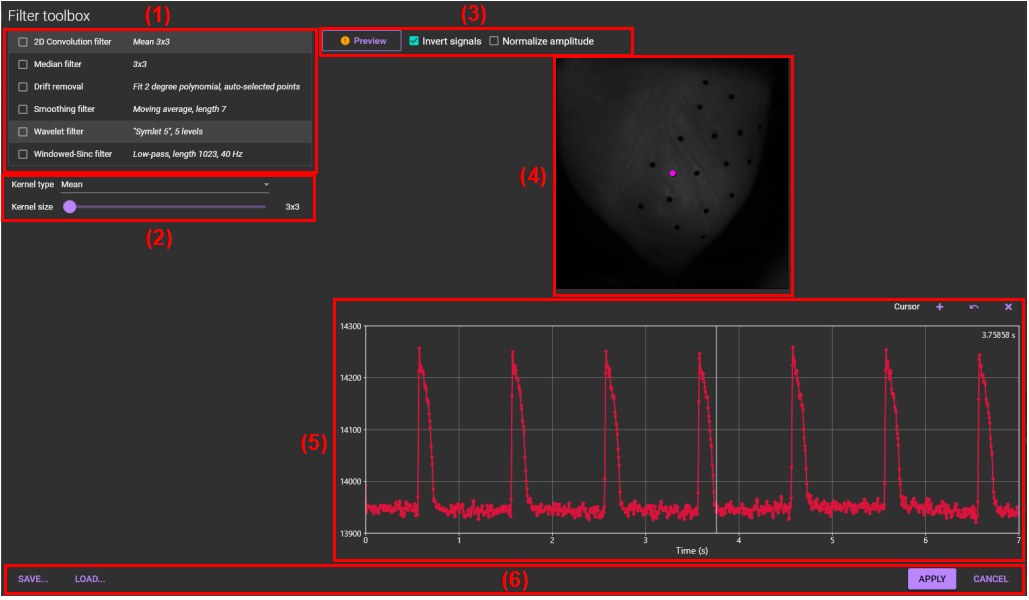
(1) Filter list
Turn on the checkbox at the left of each filter name to select that filter. Click on each filter name to display detailed settings in (2) .
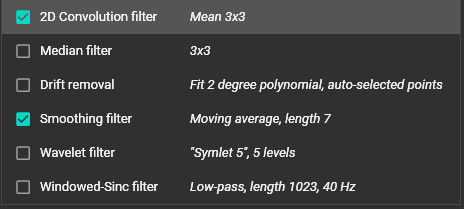
(2) Parameter settings for each filter
Select or change parameters for each filter selected in (1) .

(3) Preview, Invert and Normalization

(a) Preview
Click to see a preview before filtering.
(b) Invert signals
Inverts polarity of signal.
(c) Normalize amplitude
Normalize amplitde. See "Normalize amplitude" for details.
(4) Preview image
A preview of the filtering results is displayed. Also, if you drag the pink dot on the image with the mouse, waveform display in (5) will change.
(5) Waveform display
The waveform at the point selected in (4) is displayed.
(6) Save, Load, Apply and Cancel

(a) SAVE...
Save filter settings to a file.
(b) LOAD...
Load filter settings from a file.
(c) APPLY
Perform batch processing using specified filter settings.